In our Python tutorial, you have learned how to Write an Excel File in Python. In this tutorial, you will learn how to read an Excel File in Python.
Excel Spreadsheet is a popular file type to store and read data. In this tutorial, we will use Openpyxl Python module to read Excel with extension such as (xlsx/xlsm/xltx/xltm).
So let’s start coding:
Install Openpyxl Module
We will install Openpyxl Python module to use for reading an Excel file. We will use following command to install Openpyxl module.
pip install openpyxl
Reading an Excel File
We will import Openpyxl Python module and call load_workbook method to load Excel spreadsheet. Then we will get workbook active sheet object to read an Excel File rows.
import openpyxl

filePath = "emp_data.xlsx"
workBook = openpyxl.load_workbook(filePath)

workbookSheet = workBook.active
Here is emp_data.xlsx spreadsheet.
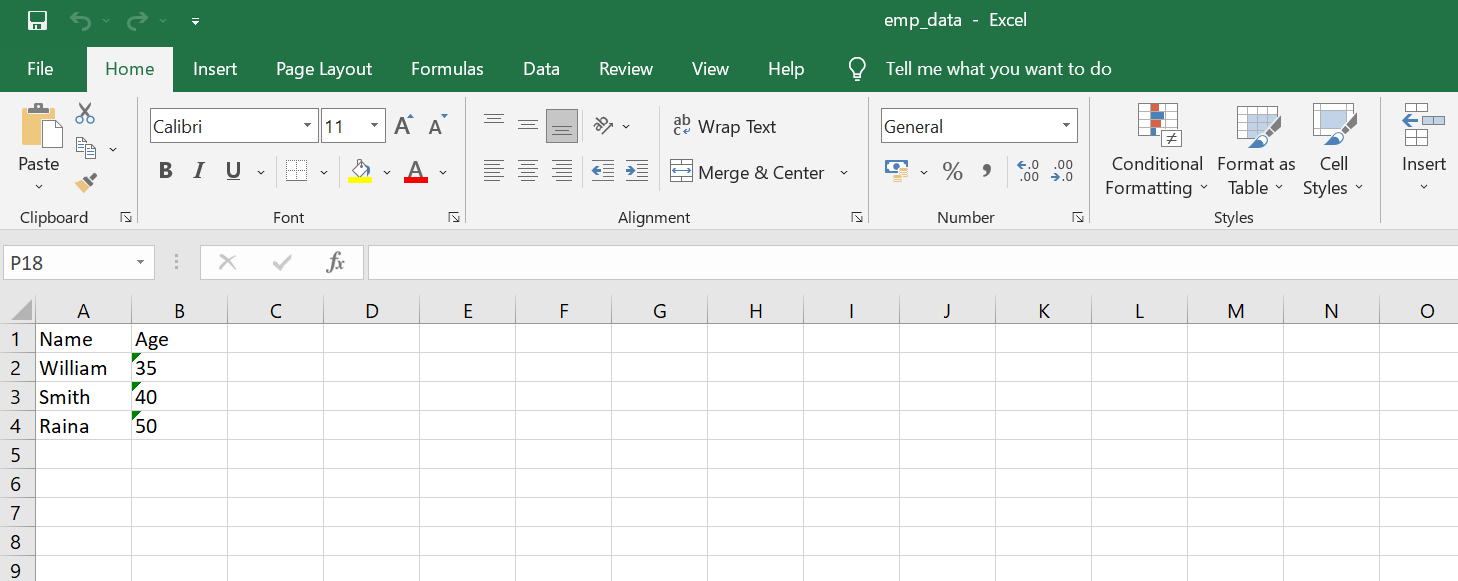
We will get total number of rows and coloumn.
sheetRow = workbookSheet.max_row
showColoumn = workbookSheet.max_column
We will iterate over total rows and then its coloumn to display rows and its coloumn data.
for i in range(1, sheetRow + 1):
    for c in range(1, showColoumn + 1):
        cellObj = workbookSheet.cell(row = i, column = c)
        print(cellObj.value)
Complete Code To Read An Excel File
Here is the complete to read an excel file and display data.
#read.py

import openpyxl

filePath = "emp_data.xlsx"
workBook = openpyxl.load_workbook(filePath)

workbookSheet = workBook.active

sheetRow = workbookSheet.max_row
showColoumn = workbookSheet.max_column
for i in range(1, sheetRow + 1):
    for c in range(1, showColoumn + 1):
        cellObj = workbookSheet.cell(row = i, column = c)
        print(cellObj.value)